
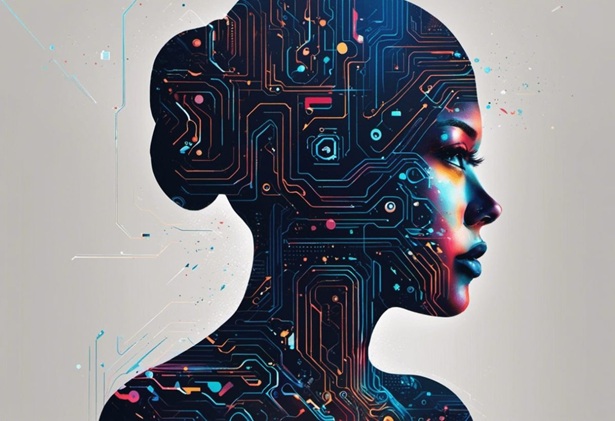
Graphic design has always evolved alongside technology. From desktop publishing software to digital illustration tools, new technologies have changed how designers create, edit, and share visual content. Today, artificial intelligence is introducing another major shift by helping designers explore ideas, automate repetitive tasks, and produce visual concepts more efficiently.
AI is not simply about generating finished graphics with a click. It is becoming part of the creative process itself. Designers can use AI to brainstorm concepts, experiment with different styles, refine existing work, and handle tasks that once required considerable manual effort. Understanding these changes can help both experienced professionals and beginners make better use of modern design workflows.
AI Makes the Creative Process Faster
One of the most noticeable changes AI brings to graphic design is speed. Designers often spend significant amounts of time exploring ideas before settling on a direction. AI tools can help shorten this early stage by producing concepts and variations quickly.
Turning Ideas Into Visual Concepts
Imagine that a designer is creating a promotional campaign for a new coffee brand. Instead of spending hours sketching possible directions from scratch, they can use AI to explore different visual concepts, color combinations, layouts, and artistic styles.
These initial ideas do not necessarily become the final design. Instead, they give the designer something to evaluate and modify. A concept that would normally take hours to develop can become a starting point for a more focused creative process.
This makes experimentation easier because designers can explore more possibilities without committing significant time to every individual idea.
AI Helps Automate Repetitive Tasks
Graphic design involves plenty of creative work, but it also includes repetitive technical tasks. Resizing images, removing backgrounds, adjusting compositions, and preparing multiple variations can consume valuable time.
AI-powered features can automate or accelerate many of these activities. For example, a designer creating social media content for a campaign may need the same visual adapted for several different platform dimensions. Automated resizing and layout assistance can make this process considerably more efficient.
Spending More Time on Creative Decisions
Automation does not eliminate the designer’s role. Instead, it can allow designers to spend more time thinking about concepts, messaging, composition, and brand identity.
A designer who previously spent an afternoon preparing several image variations might now complete the technical preparation much faster. The remaining time can then be used to improve the visual direction or develop additional creative ideas.
AI Supports More Personalized Design
Modern audiences are exposed to an enormous amount of visual content every day. Creating designs that feel relevant to specific audiences has therefore become increasingly important.
AI can help designers adapt visuals for different groups, campaigns, or communication channels. A brand might use one core design concept while creating variations with different imagery, messaging, or visual emphasis depending on the target audience.
For example, a fitness company could create separate versions of a campaign for beginners, experienced athletes, and people interested in home workouts. The overall visual identity can remain consistent while individual elements are adjusted to make each version more relevant.
AI Is Changing Typography and Visual Effects
Typography has always been an important part of graphic design, and AI is opening new possibilities for experimenting with text. Designers can explore unusual treatments, styles, and compositions without manually building every effect from the beginning.
For example, AI text effects can help designers experiment with distinctive treatments for headlines, promotional graphics, event posters, or social media visuals.
The most effective use of these features still requires creative judgment. A visually impressive text treatment may not be appropriate for every project. Designers need to consider readability, brand personality, audience expectations, and the overall purpose of the design before choosing an effect.
Designers Can Explore More Variations
One challenge in traditional design workflows is deciding when to stop exploring alternatives. Creating several versions manually can take enough time that designers settle on the first acceptable solution.
AI makes it easier to generate and compare variations. A designer working on a website hero section, for instance, might test several compositions with different image placements, typography, and visual accents.
Comparing Ideas Before Finalizing
Having multiple options can improve decision-making because designers can identify what works and what does not. One version may have stronger typography, another may have a better image composition, and a third may use more effective spacing.
Instead of treating the first idea as the final answer, designers can use AI to create a broader creative starting point and then refine the strongest direction manually.
AI Can Make Design More Accessible
Graphic design software has traditionally required users to learn various technical skills. While professional knowledge remains valuable, AI-powered interfaces are making certain design tasks easier for people who are new to the field.
Someone launching a small business, for example, may not have the budget to hire a designer for every social media graphic. AI-assisted tools can help that person create basic visual materials while learning more about design principles along the way.
This does not mean professional designers are becoming unnecessary. Instead, AI can lower the barrier to entry for simple visual projects while allowing experienced designers to use advanced capabilities for more complex work.
Human Creativity Still Matters
Despite its capabilities, AI does not replace the need for human creative judgment. A generated image or layout may look polished but still fail to communicate the intended message.
Designers understand context, emotion, brand identity, and audience expectations in ways that cannot be reduced to visual generation alone. They decide which ideas are useful, which details should be changed, and how a design should communicate with its intended audience.
For example, an AI tool might generate an attractive advertisement, but a designer still needs to determine whether the typography is readable, whether the colors match the brand, and whether the visual communicates the product accurately.
Building a Better AI-Assisted Workflow
The most practical approach is to treat AI as a creative assistant rather than a replacement for the entire design process. Designers can decide which stages benefit from automation and which require more personal attention.
A productive workflow might involve:
- Using AI to brainstorm initial concepts.
- Generating several visual directions for comparison.
- Automating repetitive editing tasks.
- Refining selected ideas manually.
- Checking the final design against brand and accessibility requirements.
This approach combines the speed of AI with the experience and judgment of the designer.
Conclusion
AI is changing graphic design by making experimentation faster, automating repetitive work, and giving creators more opportunities to explore different visual directions. At the same time, strong design still depends on human creativity, judgment, and understanding of the audience. By using AI thoughtfully while keeping creative decisions in human hands, designers can build faster, more flexible, and more effective workflows.